Accessibility
EdTech that is properly designed and coded so that learners with disabilities can use it.
EdTech that is properly designed and coded so that learners with disabilities can use it. Accessibility is not a feature — it is a constraint that improves the product for everyone. Captions help ESL learners; high contrast helps learners in bright classrooms; keyboard navigation helps power users.
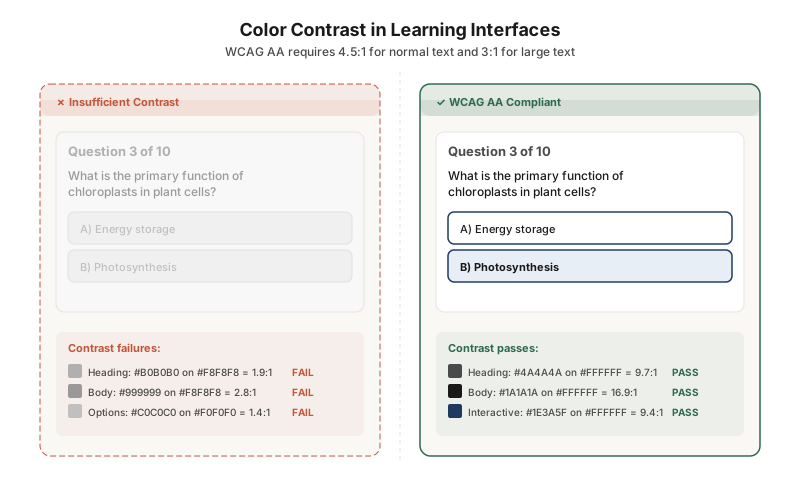
Ensure sufficient color contrast for all text and interactive elements
This side-by-side comparison shows the same quiz with insufficient contrast (left) and WCAG AA-compliant contrast (right). The failing version uses light grays that wash out under classroom lighting or for learners with low vision. The fix is straightforward: higher contrast ratios that make content readable for everyone.
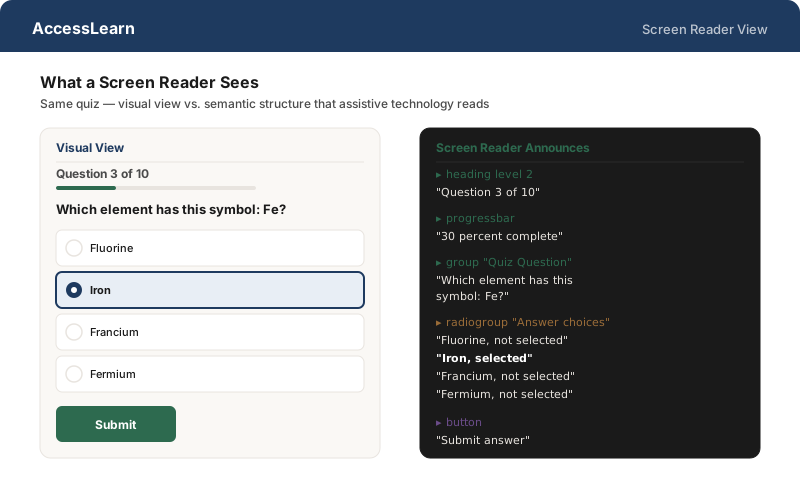
Build semantic structure that screen readers can navigate
The same quiz looks completely different to a screen reader. The visual view relies on spatial layout; the screen reader view relies on semantic HTML — headings, radio groups, progress bars, labeled buttons. If the code lacks these semantics, a blind learner hears a flat stream of unlabeled text.
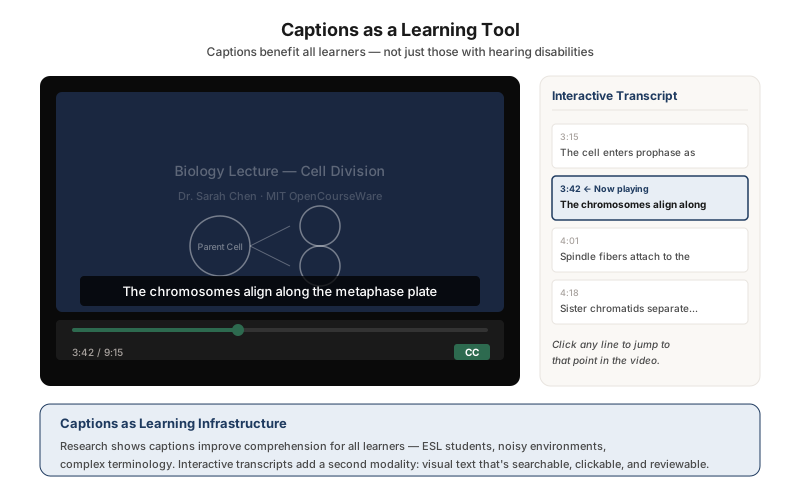
Provide captions and interactive transcripts for all video content
Captions are not just a compliance checkbox — they are a learning tool. This video player pairs synchronized captions with a clickable transcript panel. Learners can click any transcript line to jump to that point in the video, turning linear video into a navigable, reviewable resource. Research shows captions improve comprehension for ESL learners, learners in noisy environments, and anyone encountering complex terminology.